Your own delivery, with the OrdermIA Delivery app for your couriers
Your couriers deliver your home orders with the OrdermIA Delivery app on their own phone. Each one gets the orders you assign or the ones OrdermIA shares out, follows the route on the map stop by stop, collects payment at the door when the order is paid on delivery and closes the delivery with the PIN the customer received when confirming. In the panel you see which order has left and which has been delivered, without calling anyone to ask.
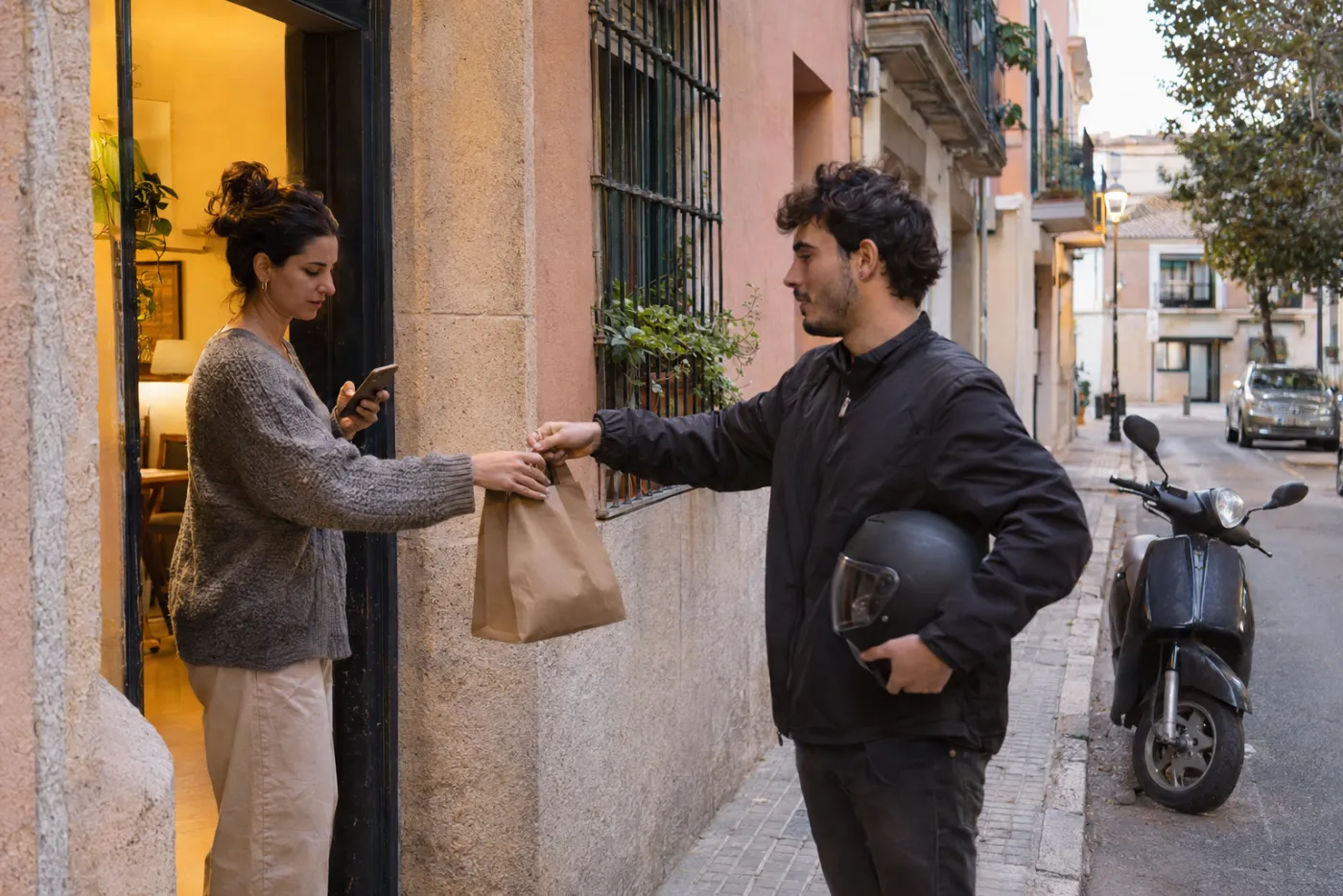
Your couriers’ app
Invite your couriers from the panel: they receive an email with the link to download OrdermIA Delivery on Google Play and sign in with their own account. Each one sees only the orders from your business assigned to them.
Each order’s page shows the customer, the address, the expected time, the items and what is still to be collected, and from there they open the address on the map.
Assign them yourself or let OrdermIA share them out
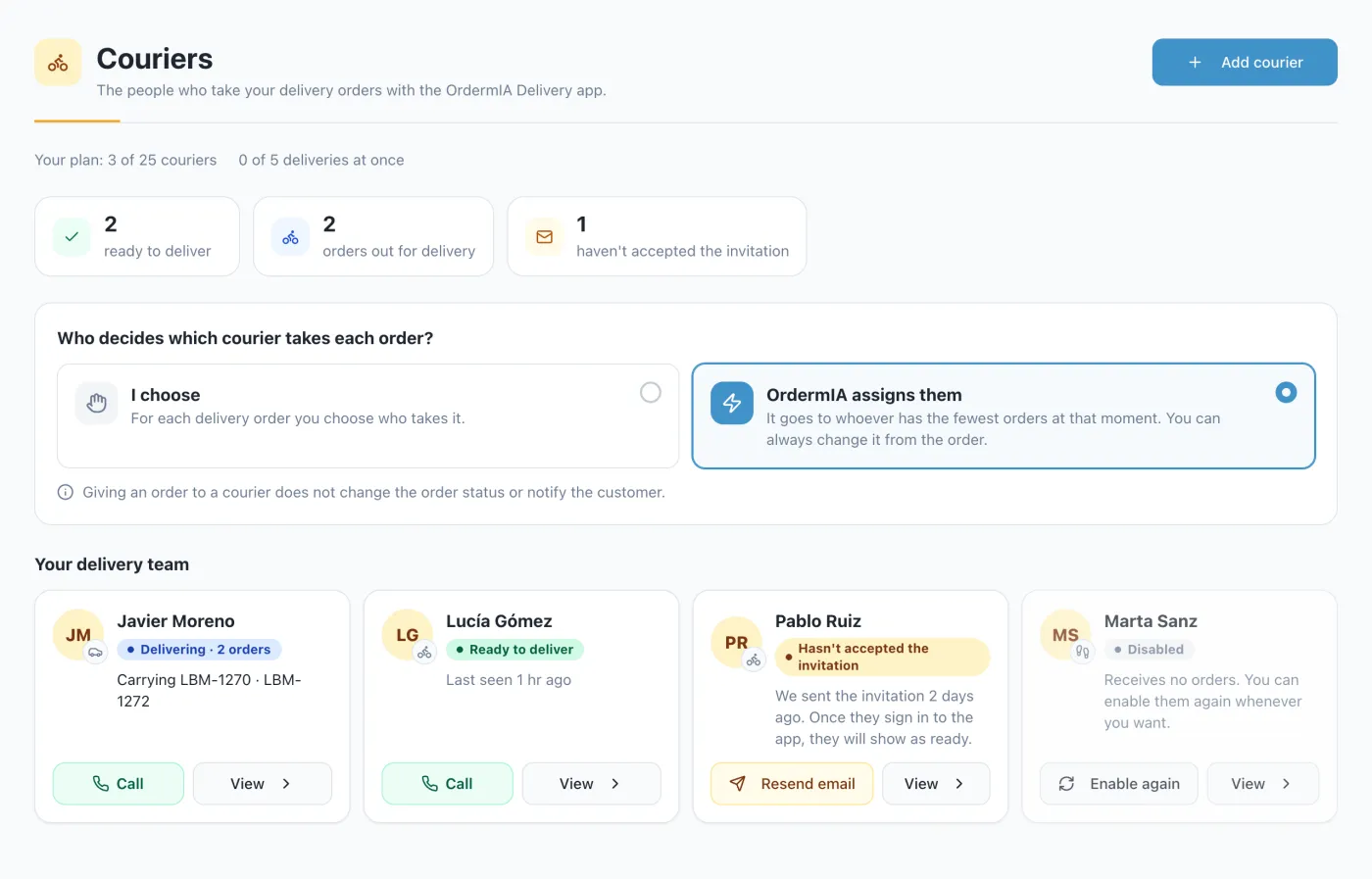
In Couriers you choose how orders are shared out. With “I choose”, you assign each order from its page. With “OrdermIA assigns them”, each order goes to the available courier with the fewest orders at that moment, and you can always change it by hand.
Assigning or changing the courier doesn’t change the order status or send messages to the customer, who keeps getting the usual updates. At a glance you see who is out delivering, who is free and who hasn’t accepted your invitation yet.
Secure deliveries with a PIN
Turn on delivery verification and every customer who orders on WhatsApp or Telegram receives a four-digit PIN in the chat when confirming the order. On arrival, the courier asks for it and types it into the app: without the right PIN, the delivery can’t be closed.
After five failed attempts the verification locks, and only your team can generate a new PIN from the panel. The courier never sees the correct code.
If the order is paid on delivery, the courier also records whether the customer paid in cash or by card on the card terminal, and you see it in the panel.
Routes for your orders
- Several deliveries, one route: Each courier’s orders are lined up in their route, with one letter per stop in the list and on the map.
- Navigation in one tap: The app opens Google Maps with every stop on the route, in order.
- Couriers and routes by plan: How many couriers and active routes you have depends on your plan, and you can add couriers with an add-on.
Your delivery rules
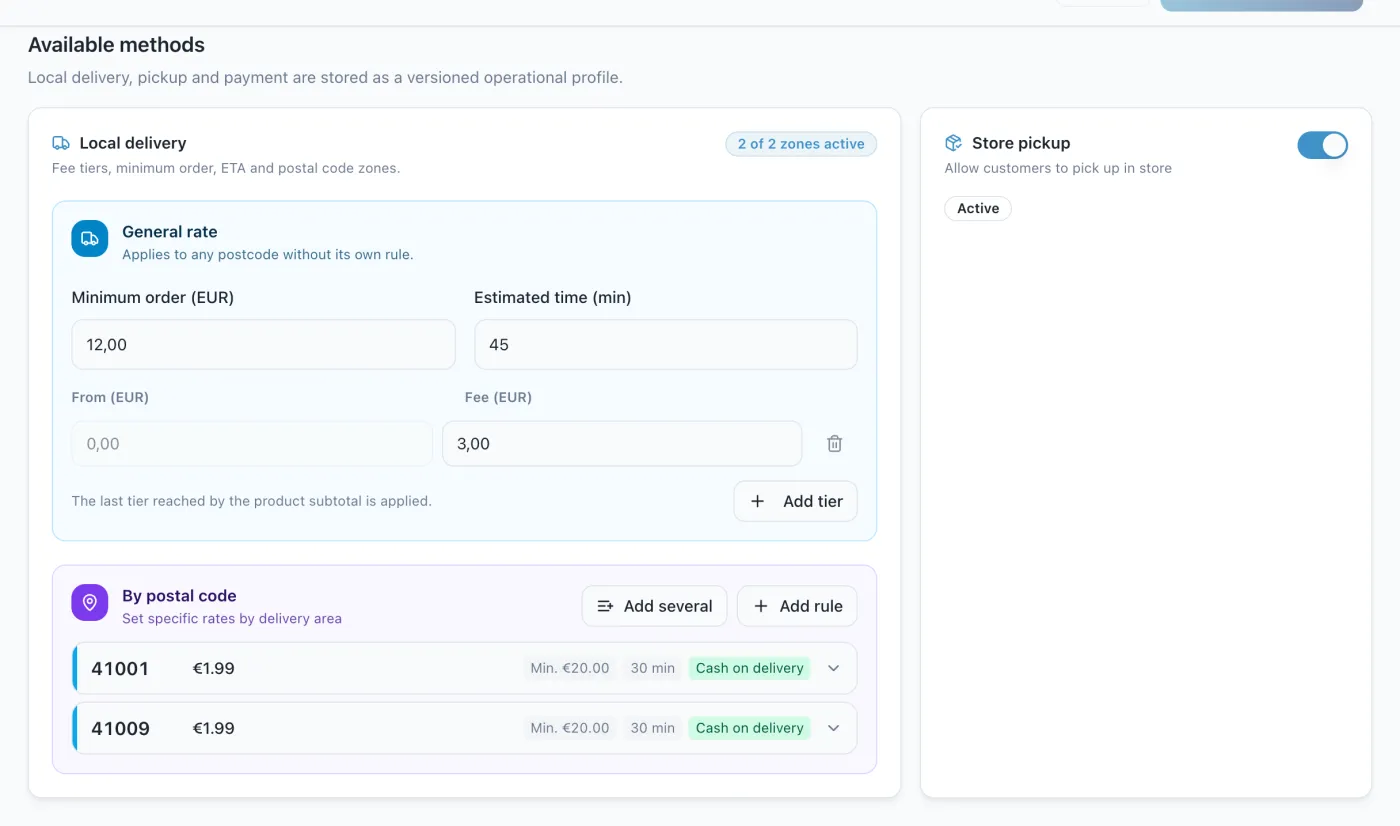
In Delivery and pickup you set the minimum order, the delivery fee, the estimated time and the hours when you accept orders. With postcode fees you decide how far you go and what each area costs.
OrdermIA applies those rules in the conversation: customers know the delivery cost and arrival time before they confirm. And if you like, you can also offer in-store pickup.
Your couriers, your customers
No platform in between: the customer writes to you, your courier takes the order to them and you don’t hand over a percentage of every order. It works for restaurants, greengrocers, florists, bakeries or any shop that delivers in its area.
Frequently asked questions
Where do I download the OrdermIA Delivery app?
On Google Play, for Android. When you invite a courier from the panel, they get an email with the download link.
Is there an iPhone version?
For now OrdermIA Delivery is available for Android only.
Which plans include your own delivery?
Couriers and routes are part of the Pro and Enterprise plans, and you can add couriers with an add-on. Every plan lets you set up delivery and pickup.
Does the customer get a notice when I assign a courier?
No. Assigning doesn’t change the order status or send extra messages: the customer gets the same status updates as always.
What if the customer can’t find the PIN?
From the panel you can generate a new PIN or close the delivery by giving a reason, which is recorded. The courier can’t skip the verification.
Does the app track the courier by GPS?
No. OrdermIA Delivery doesn’t record the courier’s location: it shows the stops on the map and opens navigation in Google Maps.
Start your own delivery
Invite your couriers, choose how orders are assigned and close every delivery with a PIN.