How to take orders on WhatsApp, step by step
A practical guide to go from scattered orders in the chat to an organised channel: what to prepare, how to get paid and deliver, and how to avoid mistakes as orders grow.

1. Choose how you will serve customers
With the WhatsApp Business app you reply by hand from one phone, which works while orders are few. To automate order taking you need Meta’s official WhatsApp Business platform, which is the one OrdermIA uses.
OrdermIA guides you through the sign-up: you open Meta’s window from the panel, choose which account and number you authorise and come back with the channel ready.
2. Prepare your catalog
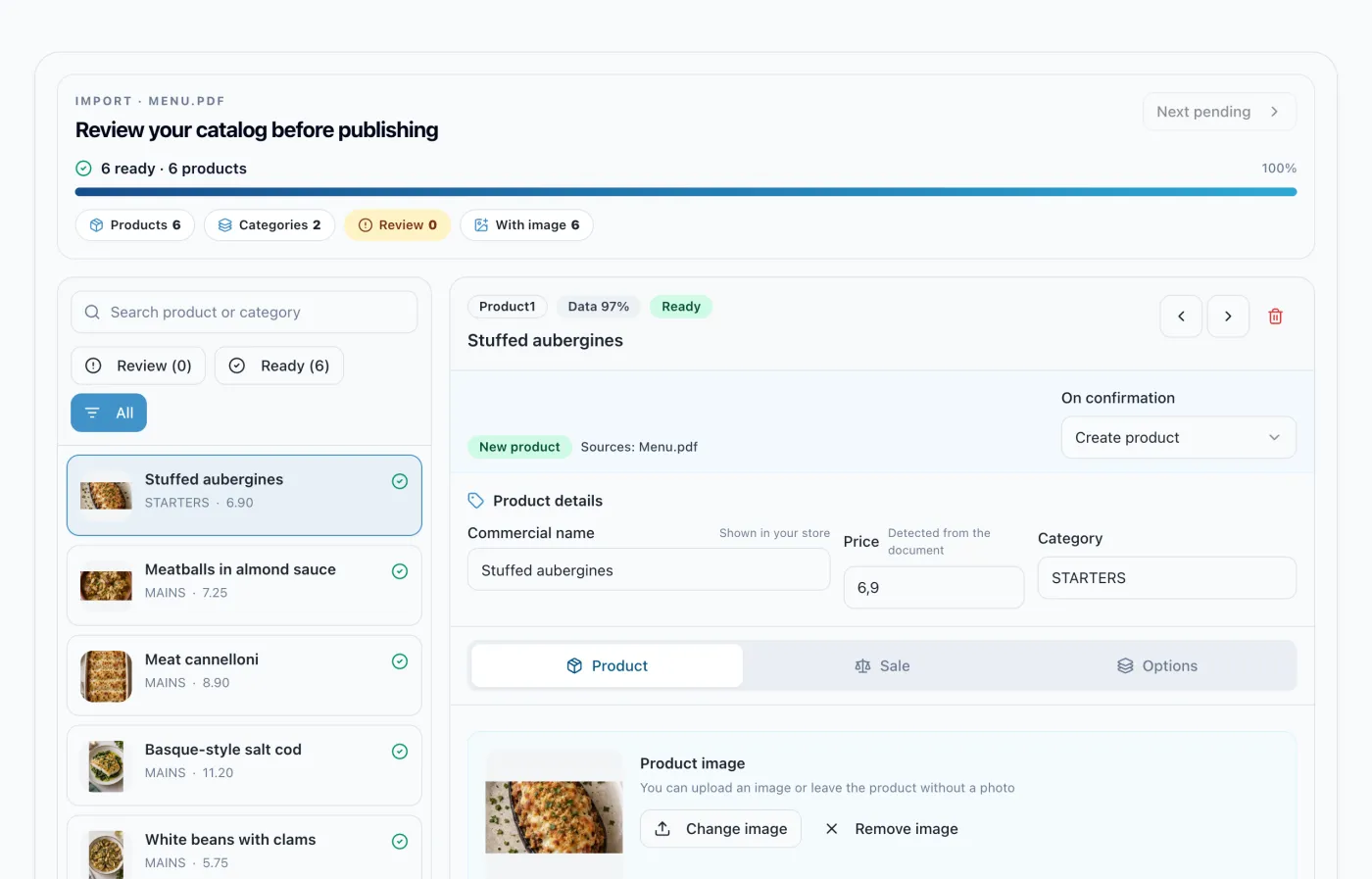
Gather your products with their price, categories and variants, such as sizes, weights or flavours, and add photos. With OrdermIA you can import the list from a PDF, an image, a CSV or an Excel file and review the draft before publishing it.
If you don’t have photos, the OrdermIA gallery has hundreds of product images, included in every plan.
3. Set delivery, pickup and payment
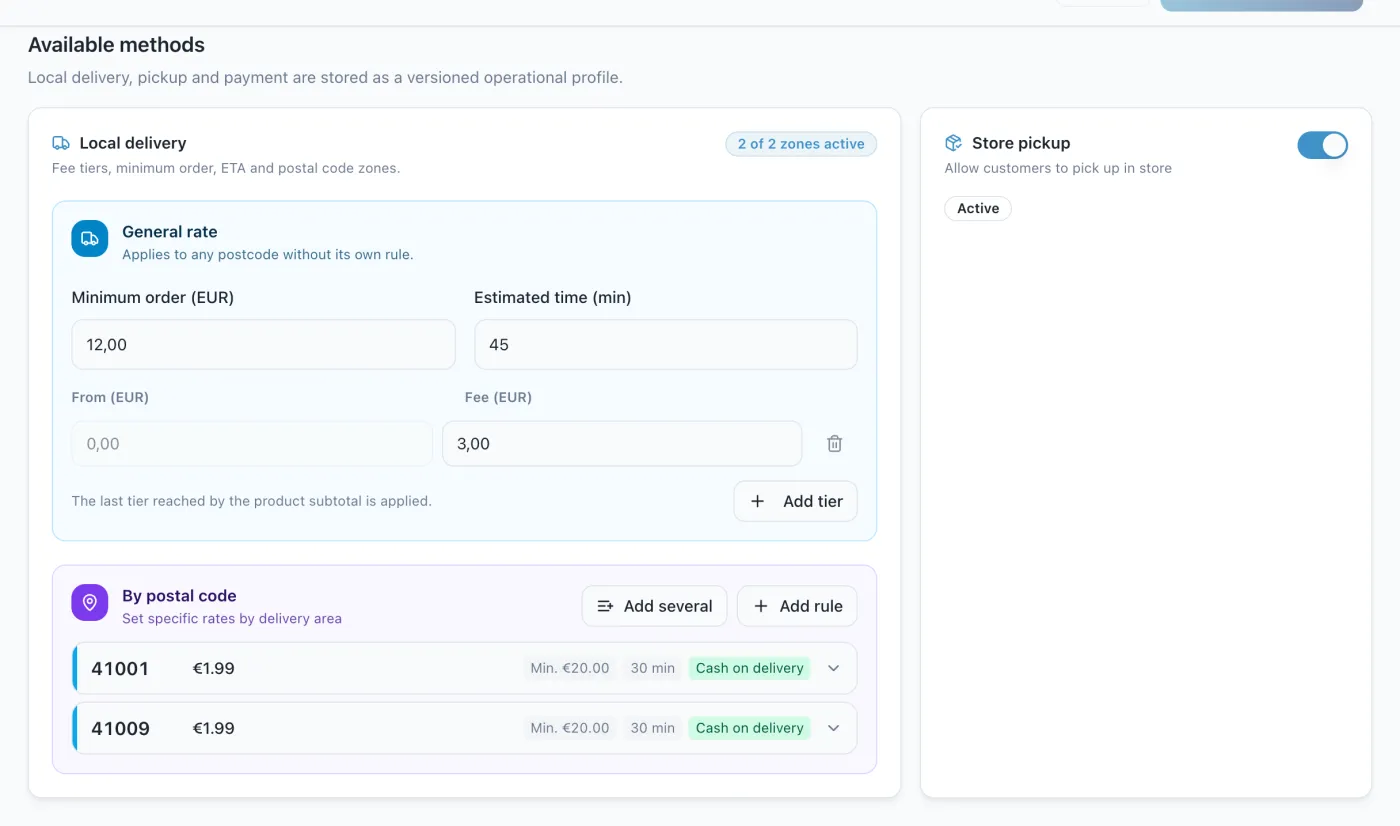
- Area and fee: How far you deliver and what delivery costs, by postcode too.
- Minimum order and hours: When you accept orders and how long you take to prepare them.
- Payment methods: Online payment with your gateway, cash on delivery or at pickup.
4. Share your channel
Put the link to your WhatsApp in your Instagram bio, your Google profile and Facebook, and a QR code on the counter, on flyers or on bags. If you have premises, a QR code on each table lets people order from the table.
5. Organise your orders
- Always confirm the summary: Letting the customer see products, quantities and total before you prepare the order prevents most mistakes.
- One place for everything: Bring the orders from all your channels into a single queue, with their status.
- Send status updates: When customers know whether their order is accepted, being prepared or on its way, they send fewer follow-up messages.
Frequently asked questions
Can I take orders with the regular WhatsApp Business app?
Yes, by handling them by hand. To automate them with OrdermIA you use Meta’s official WhatsApp Business platform, which you connect with the guided sign-up in OrdermIA.
How much does it cost to take orders on WhatsApp?
Meta bills the messages it delivers at its rates, with a free monthly allowance for replies within the conversation. OrdermIA is a monthly subscription with orders included and no commission on your sales.
How do I avoid mistakes in orders?
By checking every order against your catalog and prices and asking the customer to confirm the summary before you prepare it. OrdermIA does both for every order.
Where should I share my WhatsApp to get orders?
On your social media, your Google profile and with QR codes in your shop, on flyers or on tables.
Can I accept voice orders?
Yes. With OrdermIA the voice message is transcribed, interpreted with your catalog and the customer gets the written summary to confirm.
What if I also want to use Telegram?
You can add Telegram as a second channel: orders reach the same panel, with the same catalog and the same rules.
Launch your WhatsApp ordering channel
OrdermIA guides you at every step: connect your WhatsApp Business, upload your catalog and start taking orders.